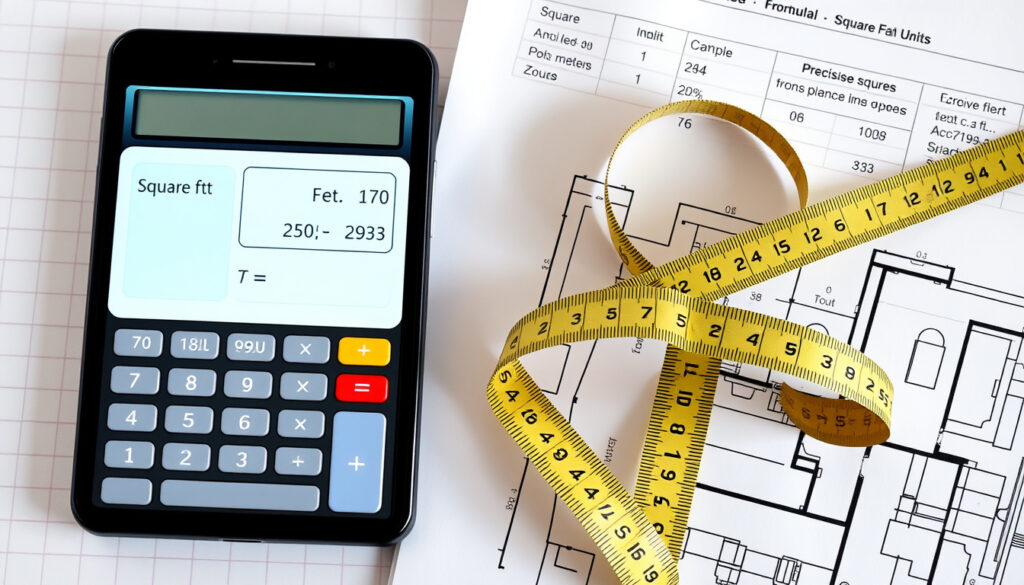
Sq Ft to Sq M – Calculator, Excel Guide & Examples
Converting between square feet and square meters requires understanding a precise conversion factor that bridges imperial and metric measurement systems. Whether calculating room sizes for a property listing or preparing construction estimates, knowing exactly how these units relate helps avoid costly errors. This guide presents the standard conversion factor, practical calculation methods, and real-world examples to handle any square footage conversion with confidence.
The conversion from square feet to square meters appears frequently in real estate listings, architectural plans, and international trade documentation. Many countries use square meters as their standard unit for measuring floor area, making this conversion essential for anyone working across measurement systems. The relationship between these units is fixed by international agreement, meaning conversions never vary.
Sq Ft to Sq M Calculator
Understanding the foundational conversion factor enables accurate calculations across all applications. The relationship between square feet and square meters stems from the precise definition of the foot in relation to the meter.
1 square foot equals exactly 0.09290304 square meters. This value derives from squaring the international foot definition where 1 foot = 0.3048 meters exactly.
The following grid summarizes the essential relationships needed for quick reference:
- Conversion Factor: 1 sq ft = 0.09290304 sq m
- Reverse Conversion: 1 sq m = 10.76391 sq ft
- Common Applications: Real estate measurements, construction planning, interior design
- Quick Method: Multiply square feet by 0.09290304 for precise results
Several practical insights help when performing these conversions in everyday situations:
- The factor 0.09290304 provides full precision, though rounding to 0.0929 works for most applications
- For mental estimates, multiplying by 0.093 yields results within 0.1% of actual value
- When converting room dimensions, calculate length and width separately before multiplying for area
- International foot (0.3048 m) differs slightly from US survey foot, though difference is negligible for area calculations
- Many online tools and spreadsheet applications implement this exact factor
| Square Feet | Square Meters |
|---|---|
| 1 sq ft | 0.09290304 sq m |
| 10 sq ft | 0.9290304 sq m |
| 50 sq ft | 4.645152 sq m |
| 100 sq ft | 9.290304 sq m |
| 500 sq ft | 46.45152 sq m |
| 1,000 sq ft | 92.90304 sq m |
| 2,500 sq ft | 232.2576 sq m |
| 10,000 sq ft | 929.0304 sq m |
How to Convert Square Feet to Square Meters in Excel
Excel provides multiple methods for converting square feet to square meters, with the built-in CONVERT function offering the most straightforward approach. This function handles unit conversions directly without requiring manual entry of the conversion factor.
Using the CONVERT Function
The CONVERT function accepts three arguments: the value to convert, the source unit, and the target unit. For area conversions between imperial and metric, the syntax uses “ft2” and “m2” as unit identifiers. According to Excel tutorials, the primary formula structure is:
=CONVERT(C5, "ft2", "m2")— converts value in cell C5 from square feet to square meters- The Fill Handle allows copying this formula down through adjacent cells efficiently
- Microsoft’s documentation shows this formula yields 9.290304 m² when converting 100 sq ft
For users preferring explicit multiplication, the formula =C5 * 0.09290304 produces identical results. An alternative approach divides by the squared feet-to-meters ratio: =C5 / (3.2808399^2)
Step-by-Step Setup in Excel
Implementing batch conversions requires organizing data in columns before applying formulas:
- Enter your square footage values in one column (for example, column C starting at row 5)
- Select the adjacent cell where you want the square meter result
- Type
=CONVERT(then click the source cell - Add
"ft2", "m2"as the unit parameters - Press Enter and use the Fill Handle to apply the formula across your dataset
To convert from square meters to square feet in Excel, simply reverse the unit parameters: =CONVERT(A2, "m2", "ft2"). For example, 10 m² converts to approximately 107.639 sq ft.
100 Sq Ft to M2 and Other Common Conversions
Specific conversion examples help visualize the relationship between these units in practical contexts. Real estate listings, room measurements, and construction specifications frequently reference these common quantities.
Room Size Conversions
A typical small room measuring 100 square feet converts to 9.29 square meters. Real estate professionals often round this figure for listing purposes, though construction estimates typically retain the full precision value of 9.290304 m². When planning tile or flooring purchases, online calculators like IBRAN’s tool allow inputting room dimensions directly, using the formula length_ft × 0.3048 × width_ft × 0.3048 for grid and tile estimates.
- Small closet: 20 sq ft ≈ 1.86 m²
- Compact bedroom: 100 sq ft ≈ 9.29 m²
- Standard bedroom: 200 sq ft ≈ 18.58 m²
- Master bedroom: 300 sq ft ≈ 27.87 m²
- Small studio apartment: 400 sq ft ≈ 37.16 m²
- One-bedroom apartment: 750 sq ft ≈ 69.68 m²
- Two-bedroom apartment: 1,000 sq ft ≈ 92.90 m²
Converting to Centimeters
For applications requiring centimeter-level precision, 1 square foot equals 929.0304 square centimeters. This conversion follows from multiplying 0.09290304 square meters by 10,000 (the number of square centimeters in a square meter).
Understanding Precision Levels
Different contexts demand varying levels of precision when performing conversions. The standard factor 0.09290304 provides full accuracy as defined by the international foot standard. For most practical applications, rounding to four or five decimal places introduces negligible error.
| Precision Level | Factor Used | Error for 1000 sq ft |
|---|---|---|
| Full precision | 0.09290304 | None |
| Standard rounding | 0.0929 | ~3 cm² |
| Quick estimate | 0.093 | ~90 cm² |
Measurement Standards and Technical Foundation
The conversion factor 0.09290304 originates from the internationally agreed definition of the foot as exactly 0.3048 meters. This definition, established through international agreement, makes the square foot conversion factor equally precise and unchanging. The National Institute of Standards and Technology maintains documentation on these unit definitions used in commercial and scientific applications.
When squaring the linear conversion (0.3048)², the result 0.09290304 emerges as the definitive factor. Excel’s CONVERT function implements these exact definitions, ensuring consistency across calculations. This alignment between NIST standards and spreadsheet functionality provides reliable results for professional applications ranging from real estate transactions to engineering specifications.
Historical Context of the Conversion
The relationship between feet and meters traces to different historical origins. The foot measurement developed organically across various cultures, eventually standardized to approximately 0.3048 meters through international treaty in 1959. The meter, defined originally as one ten-millionth of the distance from the equator to the North Pole, now relates to the speed of light for enhanced precision.
Modern conversions benefit from this historical standardization, providing unambiguous values that remain constant regardless of location or application. Unlike some unit conversions that vary by region or context, the square foot to square meter relationship never changes, enabling reliable calculations worldwide.
The international foot of exactly 0.3048 meters ensures that area conversions using the factor 0.09290304 produce consistent results across all applications.
— Based on NIST definitions and international agreement
Summary and Quick Reference
Converting square feet to square meters relies on the fixed factor of 0.09290304, which derives from the international foot definition of 0.3048 meters. Excel’s CONVERT function provides the most convenient method for batch calculations, while manual multiplication using this factor works equally well for single values.
For practical applications, multiplying any square footage value by 0.09290304 yields the equivalent in square meters. The reverse conversion divides by this factor or uses 10.76391 as the multiplier. Whether calculating room sizes, estimating construction materials, or comparing property listings across countries, these conversion principles apply consistently.
Square meters calculator
Multiply your square meter value by 10.76391 to convert to square feet, or use the reciprocal 0.09290304 for the reverse calculation. Online calculators provide instant results without manual computation.
Square meter to square feet converter app
Spreadsheet applications like Excel function as free converters using the CONVERT function. No dedicated app installation is necessary when spreadsheet software is available.
1 square feet to cm
One square foot equals 929.0304 square centimeters. This value results from multiplying 0.09290304 m² by 10,000 cm² per m².
How many square meters is 100 square feet?
One hundred square feet equals 9.290304 square meters. Multiplying 100 by the conversion factor 0.09290304 produces this result.
How do I convert square feet to square meters manually?
Multiply the square footage by 0.09290304 to obtain square meters. For example, 250 sq ft × 0.09290304 = 23.22576 m².
What is the formula for sq ft to sq m?
The formula is: square meters = square feet × 0.09290304. The reverse formula is: square feet = square meters ÷ 0.09290304 or × 10.76391.
Is 1 square foot exactly 0.0929 square meters?
The precise value is 0.09290304 square meters. Rounding to 0.0929 introduces a small error of approximately 0.003%, acceptable for most non-technical applications.
More related posts
 Richard Ashcroft – Biography, Net Worth and 2025 Tour Dates
 Chest Drawer – Best UK Prices & Retailers Compared
 Jean Paul Gaultier Divine – Complete Guide to Scent, Longevity and Value
 Renters’ Rights Bill – Tenants and Landlords Complete Guide
 Baba Vanga Predictions 2025 – Separating Fact From Fiction
 Michelle Yeoh
 Charity Shops Near Me – Find Stores, Donations and Bargains
