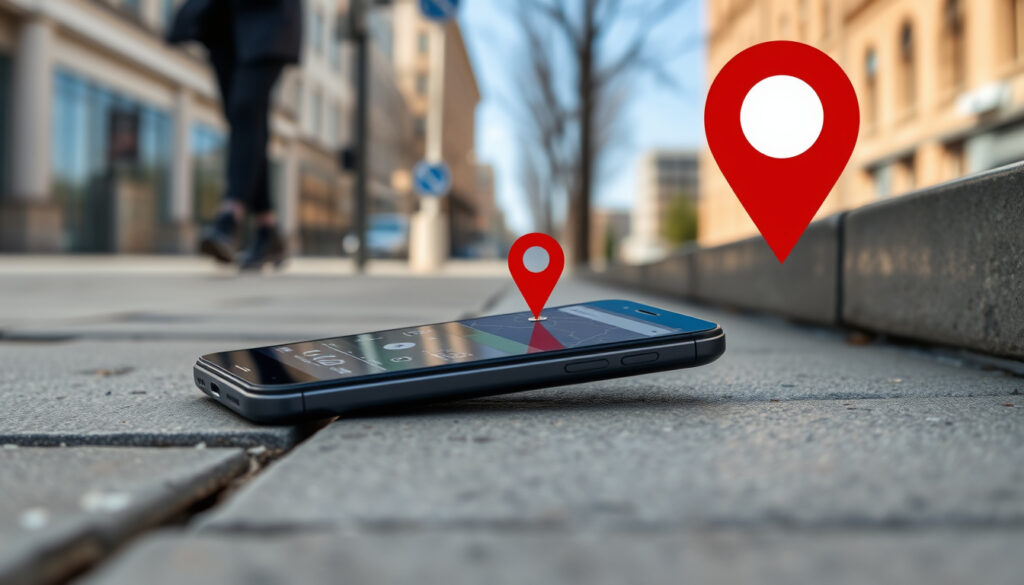
Google Find My Device – How to Find Your Lost Android Phone
How Do I Use Google Find My Device?
Google Find My Device serves as Google’s official solution for locating lost or stolen Android smartphones and tablets. The service enables users to pinpoint their device on a map, trigger a loud ring to locate it nearby, lock it remotely to prevent unauthorised access, or erase all data if recovery seems impossible. Understanding how this tool operates can make the difference between recovering a misplaced phone and losing access to sensitive personal information permanently.
The system requires only a few preliminary steps before it can spring into action. Users must link their Android device to a Google account, ensure location services are enabled, and activate the Find My Device toggle within their settings. Once these conditions are met, the device becomes traceable through the dedicated app, the website, or even another Android handset. Those who have never configured the service may find themselves unable to locate a device when it matters most, making proactive setup essential rather than an optional convenience.
Accessibility stands as one of the platform’s strongest attributes. Whether using a web browser on a computer or the mobile application on a secondary phone, anyone with access to the linked Google credentials can initiate location requests, remote commands, or status checks. This flexibility proves particularly valuable in situations where the primary device has slipped between sofa cushions or been left behind at a restaurant. The interface prioritises speed, displaying device location, battery percentage, and network connectivity details within seconds of a successful sign-in.
Locate on map, play sound, secure device, erase data
Android 4.4+, Google account, location enabled
Offline Bluetooth crowdsourced tracking network
App, website (android.com/find), secondary Android
Steps to Locate Your Device
The process begins by navigating to android.com/find or opening the Find My Device application on another Android phone. Users must sign in using the same Google account associated with the lost device. Upon successful authentication, the system immediately queries the device and displays its approximate position on an interactive map alongside critical status information.
The map presentation includes battery level, whether the device connects via Wi-Fi or mobile data, and in certain cases, the International Mobile Equipment Identity number. ThisIMEI details become relevant when filing police reports or insurance claims, as they provide authorities with a unique identifier for the hardware. Those seeking further guidance on protecting their device identity may wish to review our guide on Secure your IMEI.
Ring, Lock, or Erase Options
Once the device appears on screen, four distinct actions become available. The Play Sound option forces the handset to ring at maximum volume for up to five minutes, rendering it audible even when placed on silent mode. This feature proves especially useful for recovering devices that have fallen beneath furniture or been misplaced within the home.
The Secure Device function remotely locks the phone, signs the user out of their Google account, and permits the display of a custom message containing alternative contact details. Should the device fall into untrustworthy hands, this step prevents immediate access to personal applications and data while simultaneously providing a pathway for honest finders to return the property.
The most drastic measure, Erase Device, initiates a factory reset that permanently deletes all data stored on the handset. Google explicitly warns that this action cannot be undone, making it a last resort reserved for circumstances where the device appears irrecoverable or sensitive information faces imminent risk of compromise. Documentation of the device’s IMEI prior to erasure remains advisable for subsequent law enforcement engagement.
- Location tracking requires active GPS or Wi-Fi positioning; accuracy diminishes indoors or in areas with poor satellite visibility
- The Play Sound function overrides silent mode and reaches full volume immediately upon activation
- Remote locking signs the user out of their Google account, preventing app access on the device
- Factory reset via the service permanently removes all data without recovery options
- Battery percentage displayed on the tracking interface reflects the last known charge level at the time of the most recent status update
- Devices running Android 4.4 and above are compatible with the basic Find My Device functionality
- 2024 offline finding capabilities extend tracking availability to compatible hardware even when powered down
| Feature | Availability | Key Details |
|---|---|---|
| Locate Device | All Android 4.4+ | Real-time GPS/Wi-Fi positioning on interactive map |
| Play Sound | All Android 4.4+ | Maximum volume for 5 minutes, overrides silent |
| Secure/Lock | All Android 4.4+ | Remote lock plus custom contact message |
| Erase Data | All Android 4.4+ | Factory reset, permanent data deletion |
| Offline Find | 2024+ compatible devices | Bluetooth mesh via nearby Android handsets |
| Battery Status | All Android 4.4+ | Displays last recorded charge percentage |
| Network Info | All Android 4.4+ | Indicates Wi-Fi or mobile data connection |
Does Google Find My Device Work If the Phone Is Off or Offline?
The 2024 upgrade to Google’s Find My Device network fundamentally altered the answer to this long-standing question. Earlier versions of the service required the target device to maintain an active internet connection, rendering powered-down handsets effectively invisible. The April 2024 rollout introduced offline finding capabilities that leverage a crowdsourced Bluetooth mesh, allowing compatible devices to appear on the map for several hours after power loss or battery depletion.
Hardware compatibility determines the extent of offline functionality. The Pixel 8 series represents Google’s flagship implementation of this feature, with the system designed to transmit Bluetooth signals even when the device has been switched off. Other manufacturers have begun incorporating similar capabilities, though the specific duration of post-power-off tracking varies according to each device’s hardware implementation and residual charge capacity.
Offline Finding Network Details
The underlying technology relies on signals broadcast by nearby Android devices running the Find My Device service. When a compatible handset passes within Bluetooth range of a lost device, it automatically detects and logs the signal before relaying the location data to Google’s servers. This encrypted transmission occurs without any action required from the device owner, creating a distributed network of detection points across millions of handsets worldwide.
Privacy protections underpin the entire architecture. End-to-end encryption ensures that location data remains accessible only to the account holder, preventing Google or participating devices from accessing sensitive information. The crowdsourcing component operates on an opt-in basis, meaning users can disable their device’s participation in the detection network while still benefiting from its coverage when searching for their own lost hardware.
On compatible devices, navigate to Settings > Google > Find My Device and ensure both “Offline finding” and “Send last location” toggles remain enabled. These options allow the device to participate in the Bluetooth detection network and transmit its final coordinates before battery exhaustion.
Battery and Power Requirements
Traditional location services consume power relatively rapidly, with GPS receivers and mobile data radios drawing significant current during active tracking sessions. The offline finding system addresses this constraint by relying on low-energy Bluetooth broadcasts rather than continuous GPS engagement. This architectural decision enables extended tracking windows while minimising the impact on the device’s remaining battery reserves.
The “Send last location” feature provides a supplementary safety net, automatically transmitting the device’s coordinates to Google servers immediately before battery depletion occurs. Should the device fail before the crowdsourced network detects it, this final ping offers the most recent reliable position for recovery attempts. Users seeking to maximise their chances of successful location retrieval should verify that this setting remains active in their device configuration. For additional context on power management strategies, resources from the Android platform provide comprehensive guidance.
When the service fails to locate a device despite these precautions, several troubleshooting approaches merit consideration. Confirming that the Google account remains properly linked, location services stay enabled, and the Find My Device toggle remains activated addresses the most common configuration errors. Should the device still fail to appear on the tracking interface, adding the Google account through Settings > Accounts and re-enabling the Find Hub service often resolves the issue.
What Is Google Find My Device and Its Key Features?
Google Find My Device represents Google’s unified solution for tracking Android smartphones, tablets, and compatible accessories. The service evolved from Android Device Manager, which launched in 2013 as a basic location and remote ringing tool, before undergoing a comprehensive rebranding and capability expansion in 2023. This transformation introduced network-based crowdsourcing features that fundamentally changed how Android users could locate their misplaced electronics.
The platform operates across multiple device categories, supporting not only smartphones and tablets but also Bluetooth tracking tags compatible with the Find My Device network. This expansion positions Google’s offering in direct competition with Apple’s established Find My ecosystem, though the two platforms remain strictly segregated by operating system boundaries.
Core Capabilities
The foundational feature set encompasses location tracking, audio signalling, device securing, and data erasure. These capabilities have remained consistent throughout the service’s evolution, representing the essential toolkit for device recovery and data protection. Each function addresses specific scenarios that users commonly encounter when separating themselves from their electronics.
Location accuracy depends on available positioning technologies. When GPS signals prove unavailable, the system falls back to Wi-Fi positioning or cell tower triangulation, methods that provide less precise coordinates but remain functional within urban environments and built-up areas. Users reviewing their device location should understand that the displayed position reflects the most recent successful positioning attempt rather than real-time tracking data. Understanding the technical underpinnings of location services can help users set realistic expectations when tracking devices through the Android help centre.
2024 Updates
The most significant enhancement arrived in April 2024 with the activation of Google’s crowdsourced Bluetooth tracking network. This infrastructure enables devices to be located even when disconnected from cellular networks or powered down entirely, closing a longstanding capability gap compared to competing platforms. Compatible hardware can now broadcast detection signals that propagate through the ecosystem of Android devices operating in proximity.
The upgrade also introduced integration with Bluetooth tracking tags designed for physical objects like keys, bags, and wallets. Users attaching compatible tags to frequently misplaced items can monitor their locations through the same Find My Device interface used for smartphones, consolidating multiple tracking needs within a single application. This development reflects broader industry trends toward unified device and object tracking ecosystems.
Not all capabilities function identically across all Android devices. Offline finding requires 2024-era hardware with appropriate Bluetooth and power management components. Older devices retain core locate, ring, lock, and erase functions but cannot participate in the crowdsourced detection network.
Can You Track Someone Else’s Phone with Google Find My Device?
Google Find My Device is engineered exclusively for locating devices associated with the user’s own Google account. The platform does not provide mechanisms for tracking smartphones belonging to other individuals without their explicit permission and credential sharing. Attempting to monitor a device through the service using only a phone number or email address will not yield location data, as the system requires direct account authentication to retrieve positioning information.
The distinction between personal device tracking and surveillance carries significant legal and ethical weight. Without proper authorisation, attempting to determine another person’s location through technical means may violate privacy laws and telecommunications regulations in numerous jurisdictions. Google has implemented multiple safeguards to prevent the service from becoming a tool for unauthorised monitoring of individuals.
Sharing and Family Link
Legitimate access to another person’s device location requires their explicit consent and active participation in the setup process. Google offers family sharing features that enable account holders to grant location access to designated family members, with controls that allow the granting user to revoke this access at any time. This framework supports scenarios such as parents monitoring children’s devices or caregivers assisting elderly relatives with technology management.
Device handover represents another legitimate pathway for sharing access. When transferring ownership of an Android device, the previous owner must remove their Google account from the device and the new owner must register their own credentials. This procedure ensures that only the current legitimate owner can issue tracking commands or remote actions through the Find My Device service.
Privacy Considerations
The offline finding network incorporates privacy protections designed to prevent abuse. Unknown tracker alerts notify users when an unfamiliar Bluetooth tracking device appears to be travelling with them persistently, potentially indicating surveillance through a misplaced or concealed tag. This feature aligns with broader industry initiatives to address concerns about the misuse of tracking technology for stalking or harassment.
End-to-end encryption throughout the crowdsourced network ensures that location data remains accessible only to the account holder. Google’s servers and participating devices in the detection network cannot decrypt the information they transmit, providing assurance that the privacy infrastructure functions as intended. Users uncomfortable with their devices participating in the detection network can disable this capability while continuing to benefit from coverage when searching for their own lost hardware. Detailed information about privacy protections is available through Google’s privacy documentation.
Attempting to track devices belonging to others without explicit authorisation may violate privacy laws in your jurisdiction. Google Find My Device requires the device owner’s Google account credentials for access and cannot be used for surveillance of individuals without their knowledge and consent.
The Evolution of Google’s Device Tracking Service
The trajectory of Google’s device tracking capabilities reflects broader shifts in mobile technology and user expectations around digital security. From modest beginnings focused on basic location retrieval, the service has expanded into a comprehensive ecosystem supporting smartphones, tablets, and physical objects through increasingly sophisticated detection mechanisms.
Understanding this progression contextualises the current feature set and illuminates the reasoning behind specific design decisions. The following timeline captures the pivotal moments in the service’s development, illustrating how Google’s approach to device security has evolved in response to changing threat landscapes and competitive pressures.
- 2013 — Android Device Manager launches as Google’s first-party solution for locating lost smartphones, offering basic map-based positioning and remote ringing capabilities
- 2015-2017 — Service receives incremental updates including remote lock and erase functions, establishing the core feature set that remains recognisable today
- 2023 — Rebranding to Find My Device coincides with announcement of crowdsourced Bluetooth network development, signalling Google’s intention to compete more directly with Apple’s established offering
- April 2024 — Offline finding functionality activates across compatible Android devices, enabling location tracking for powered-down handsets through the newly operational crowdsourced Bluetooth mesh
- Mid-2024 — Bluetooth tracking tag support expands the Find My Device ecosystem beyond smartphones and tablets, allowing users to locate physical objects through the same interface
What We Know for Certain and What Remains Unclear
Transparency about the boundaries of verified information serves readers seeking accurate guidance on device tracking capabilities. While Google’s documentation and third-party reviews establish certain facts about Find My Device functionality, other aspects remain subject to ongoing development or depend heavily on specific hardware configurations.
Established Information
- Core locate, ring, lock, and erase functions work on Android 4.4 and above
- Offline finding requires compatible 2024-era hardware and appropriate settings activation
- Google Find My Device does not function on iOS devices or provide cross-platform tracking
- The crowdsourced network uses end-to-end encryption to protect location data
- Remote erase permanently deletes all device data without recovery options
- Battery status displayed reflects the last recorded percentage rather than current drain
Information That Remains Unclear
- Exact duration of post-power-off tracking varies by manufacturer and hardware implementation
- Specific non-Pixel devices confirmed to support offline finding beyond the initial 2024 launch
- Future roadmap for expanded tag compatibility and feature additions
- Regional variations in crowdsourced network coverage and detection reliability
- Long-term data retention policies for location information transmitted through the offline network
The Broader Context of Device Recovery Technology
The emergence of sophisticated device tracking reflects broader societal concerns about the increasing centrality of mobile hardware in daily life. Smartphones now store access credentials for banking applications, personal communications, photographic memories, and professional data, transforming the stakes involved in device loss or theft far beyond the replacement cost of the hardware itself.
Competition between platform ecosystems has driven rapid capability expansion in this domain. Apple’s Find My network, operational since 2019, established user expectations for offline tracking and item finder integration. Google’s 2024 launch of comparable functionality represents a strategic response to competitive pressure while acknowledging the growing importance of comprehensive device security features in consumer purchasing decisions.
The ethical dimensions of location tracking technology continue to generate legitimate debate. While recovery features provide genuine utility for device owners, the same underlying capabilities could theoretically enable intrusive surveillance if improperly deployed. Industry stakeholders have responded through mechanisms such as unknown tracker alerts and robust encryption, though ongoing vigilance remains necessary as both technology and regulatory frameworks continue to evolve. Security researchers have documented both the benefits and risks of such systems in various technology publications.
Google’s offline finding network represents a fundamental shift in how Android users can protect their devices, extending recovery possibilities beyond what traditional internet-connected tracking could achieve.
— Industry analysis of 2024 Find My Device capabilities
Key Takeaways and Practical Next Steps
Google Find My Device provides Android users with a capable and accessible toolkit for locating lost hardware and protecting sensitive data. The 2024 introduction of crowdsourced offline tracking has substantially closed the capability gap with competing platforms, offering users meaningful recovery options even when devices lose power or network connectivity. Setting up the service proactively, before a device goes missing, determines whether these protections prove available when actually needed.
Those who have not yet configured Find My Device on their Android smartphones should verify their settings today. Confirming that location services remain enabled, the Find My Device toggle stays activated, and offline finding options are engaged ensures the maximum possible protection. For users with compatible hardware, the Bluetooth crowdsourcing network now provides an additional layer of recovery capability that extends beyond traditional GPS tracking. Security-focused readers may also benefit from exploring broader technology security coverage.
Those curious about related tracking technologies may find our article on the flight path tracker an interesting exploration of how location monitoring extends beyond consumer electronics into transportation and public safety domains.
Frequently Asked Questions
How does Google Find My Device compare to Apple Find My?
Both platforms offer locate, ring, lock, and erase functions with comparable user experiences. Apple Find My benefits from deeper integration with iOS and accessory ecosystems like AirTags, while Google Find My Device’s 2024 offline finding capabilities have narrowed the previous gap in powered-off tracking functionality. Neither service operates across the opposing platform.
What if Find My Device shows an incorrect or outdated location?
The displayed location reflects the most recent successful positioning attempt rather than real-time tracking. If the device has moved since its last location ping, the map will show an earlier position. Enabling high-accuracy location mode and frequent location updates improves positioning frequency when the device remains connected.
Can I use Google Find My Device on a tablet?
Yes, Android tablets running Android 4.4 or later can be tracked through the same Find My Device interface as smartphones. The setup process and available functions remain identical, though tablets with cellular connectivity will typically offer more accurate positioning than Wi-Fi-only models.
Does Google Find My Device drain battery quickly?
Active tracking consumes power proportionally to the positioning method employed. GPS-based location proves most accurate but draws the most current. The offline finding Bluetooth broadcasts use significantly less power, allowing extended detection windows on compatible devices without rapid battery depletion.
What happens to Find My Device when switching to a new Google account?
The previous account’s tracking access terminates upon removal from the device. The new account must complete its own setup process, including enabling location services and the Find My Device toggle, before the device becomes trackable through the new credentials.
Can police use Find My Device to help recover a stolen phone?
Law enforcement agencies can request information from Google through appropriate legal channels, though the specific procedures and response times vary by jurisdiction. Having your device’s IMEI number and approximate last location documented facilitates more productive engagement with authorities during theft reports.
How long does the Play Sound function ring?
The audible alert continues for five minutes at maximum volume before automatically terminating. This duration cannot currently be customised through the standard interface, though the sound can be manually stopped by locating the device and pressing the power button or volume key.
More related posts
 Aimee Lou Wood – Career Journey from Sex Education to The White Lotus
 Asda Easter Sunday Hours – Closed 2026 UK Weekend Guide
 Cast of a Muppet Christmas Carol – Every Role and Performer
 Ambika Mod – Biography, Career, and Personal Life Facts
 Benito Mussolini – Life, Death, and Legacy of Italy’s Fascist Dictator
 Dave Grohl – Biography, Net Worth, and Music Career
 A Simple Favor 2 – Release Date, Cast and Where to Watch
 Members Of Guns N’ Roses – Original To Current Lineup Guide
